Create a task
At the end of this page you have a task that knows the store, the product, who's buying and how.
A task is one product, one profile, one account. It watches the product page and checks out when it can. You'll usually make one task per product you want, inside a task group for the drop.
Steps
- Click the list icon in the left bar to open Tasks.
- Click the + next to the Tasks heading. (The + next to Task Groups makes a group instead.)
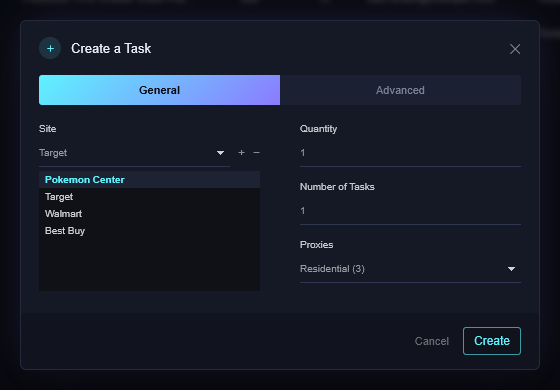
- Site: pick the store.
- Quantity: how many of the product per order, 1 to 99. The store's own per-item limit still applies.
- Number of Tasks: how many copies to make at once. Keep it at 1 for your first task.
- Proxies: a proxy list, or No proxies for your home connection.
- Click the Advanced tab.
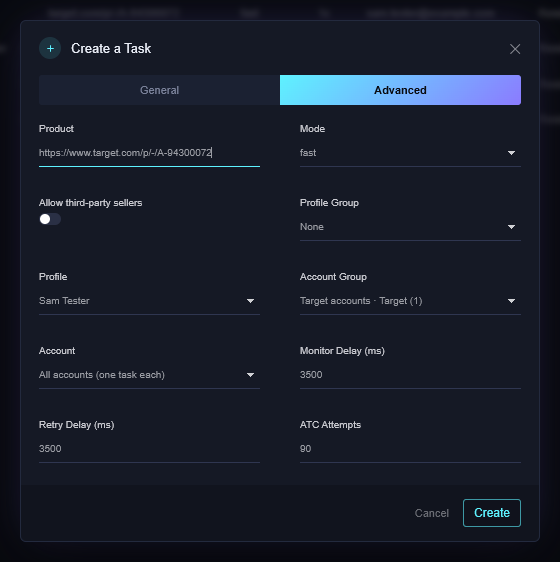
- Product: paste the product page link. Best Buy also takes the SKU number on its own.
- Mode:
- fast – the browser window stays hidden. Use this.
- human – the window is visible, so you can watch. Slower.
- request – Target only. Adds to cart without the page, up to ATC Attempts tries.
- Profile (or a Profile Group) and Account Group. Account then defaults to All accounts (one task each), which makes one task per account in the group; pick a single account to make just one.
- Allow third-party sellers: off means the task only buys when the store itself is the seller. Leave it off unless you mean it.
- Leave Monitor Delay, Retry Delay and ATC Attempts alone unless a store page tells you otherwise.
- Click Create.
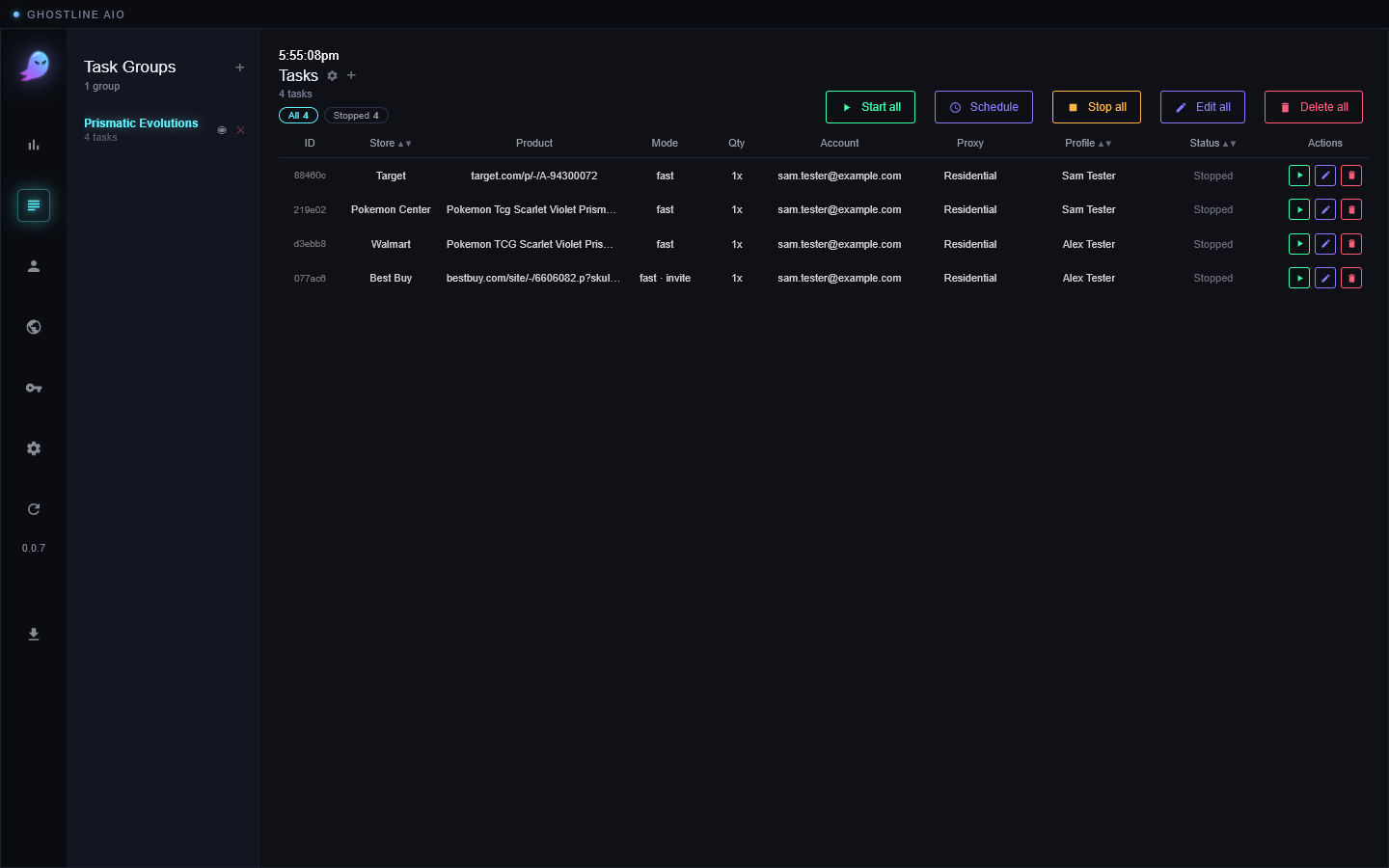
The row shows the store, the product, your profile name and Stopped. It hasn't run yet; that's Your first run.
Changing tasks
- The pencil on a row opens the edit form for one task (one page, no tabs). On a running task only the product link, Allow third-party sellers, Monitor Delay and Retry Delay change at once; profile, account, proxies, mode and quantity take effect on its next start.
- Edit all changes every task in the group at once. Fields left blank or on Keep existing don't change.
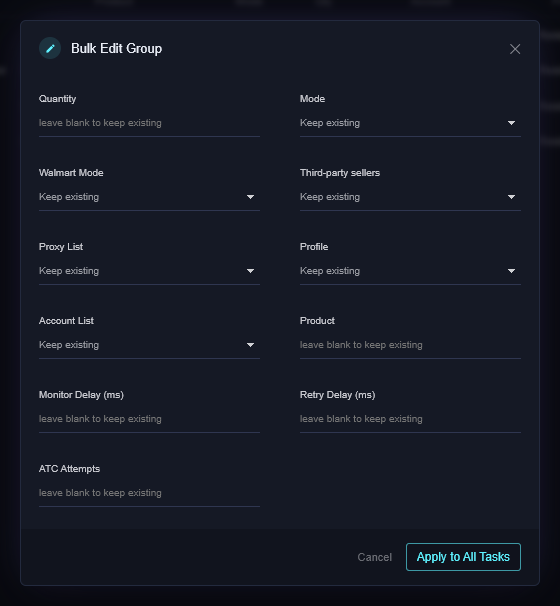
- Delete all removes the group's tasks. Profiles and accounts stay.
If it didn't work
- Create is greyed out or does nothing: Product is empty, or the Best Buy product isn't a product link or SKU.
- The row shows No Profile, No Account or No Proxies after a start: the task is missing that piece. Edit it.
- Still stuck? Open a ticket on Discord.