Pokémon Center
What a Pokémon Center task does on a drop night, the queue and captcha you'll meet, and what to set up beforehand.
Before the drop
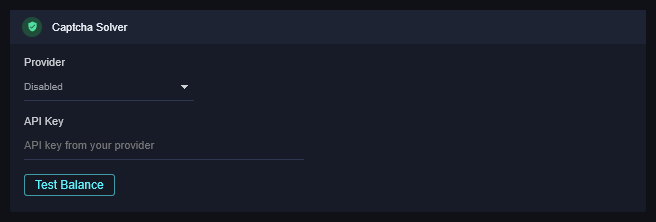
- Pokémon Center protects its pages with a captcha and, on big drops, a virtual queue. A captcha service lets the task clear captchas by itself. In Settings → Captcha Solver, pick your provider (2Captcha, CapMonster or AYCD AutoSolve), paste its key (for AYCD the field is AYCD Access Token), and click Test Balance.
- Have the account's address and card saved on pokemoncenter.com (Update billing/shipping in Accounts).
- Run the task on an in-stock item once.
A normal run
Starting → Signing In → Signed In → Waiting For Restock → Adding To Cart → Carted → Checking Out → Submitting Order → Success.
- Checkout fields are filled in one go, not typed, so the checkout pages go by fast.
- Quantity is what you set in the task, capped by the store's own limit.
Where Pokémon Center interrupts
- Virtual queue. On a drop the site puts you in a waiting room with an estimated wait. The row shows In Queue. The task waits; don't reload the window.
- Captcha. An "additional security check" page. With a provider set, the row shows Solving Captcha and the task continues. Without one, it's Action Needed: solve it in the window the task raised.
- A slider or press-and-hold check is treated the same way: Action Needed.
If it didn't work
- Solving Captcha for minutes: the provider is slow or out of balance. Test Balance in Settings.
- In Queue for a very long time: that's the store's queue. There's nothing the app can speed up.
- Still stuck? Open a ticket on Discord with the log.