Updates
At the end of this page you know how new versions reach you and how to tell which one you're on.
How it works
The app checks for a new version when it opens and every six hours after that. When one is found it downloads in the background while you keep working. Nothing changes until you say so.
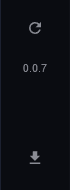
- The number under the refresh icon is the version you're running.
- Click the download icon to check right now. It says Up to date or starts downloading.
- When the download finishes the button changes to Restart to update. Click it when no task is running; the app closes, installs, and opens again on the new version.
After the restart, the number in the left bar is the new version, and your profiles, accounts and tasks are all still there.
Good to know
- Updates only come through while your license is valid. A locked app doesn't check.
- Each release is announced in the Discord with what changed. If a release note tells you to do something (re-link an inbox, say), do it before the next drop.
- If an update ever goes wrong, the installer for the previous version still installs over the top. Ask in the Discord for the link.
If it didn't work
- "Up to date" but Discord says there's a new version: wait a minute and click again; the release may still be uploading.
- The check shows an error: the update server couldn't be reached. Try later; tell us in the Discord if it lasts more than an hour.
- Still stuck? Open a ticket on Discord.