Profiles
At the end of this page you have a profile the app can ship to and pay with.
A profile is one person's shipping address, phone, email and card. Every task uses exactly one profile. The card is used in the store's own checkout, on your PC, like you'd type it yourself.
Add a profile
- Click the person icon in the left bar to open Profiles.
- Click Create at the top right.
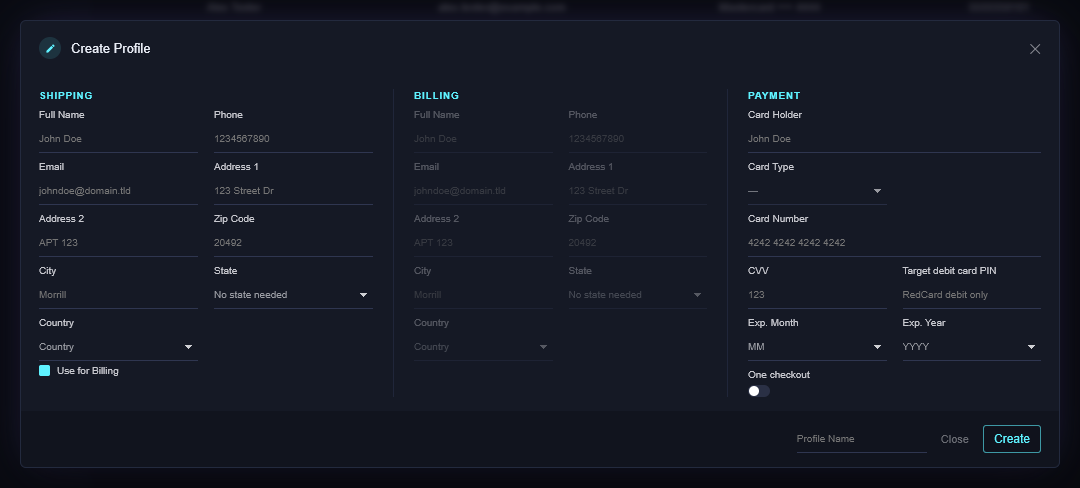
- Fill the shipping side: name, phone, email, street, apartment if any, zip, city, state, country.
- Billing: leave Use for Billing ticked unless the card's statement goes somewhere else.
- Card: the name on the card, the card type, number, CVV, and expiry month and year.
- Target debit card PIN: only for a Target RedCard debit card. Target asks for the PIN after Place order; the app enters it for you. Leave it blank for every other card.
- Give it a Profile Name you'll recognise in a task row, then Create.
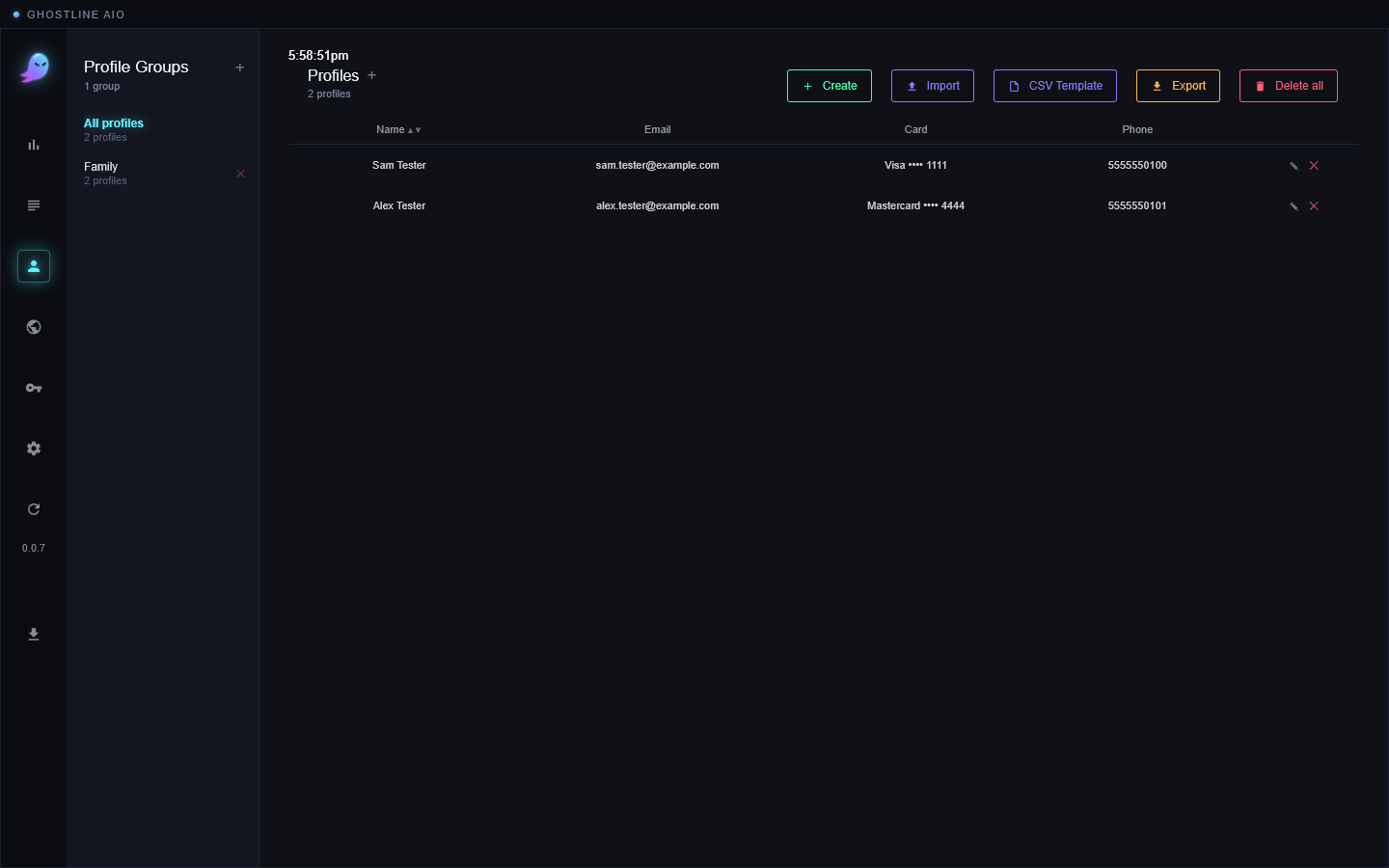
The profile appears in the list with the right email and the card's last four digits.
Profile groups
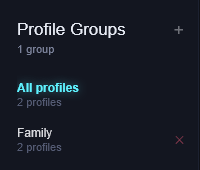
If you run several tasks for the same drop, a group lets a task pick from a set of profiles. Click + next to Profile Groups on the left, name the group, and tick the profiles that belong to it. In a task, choose the group under Profile Group instead of a single profile.
Useful to know
- One checkout. A profile can be set to stop after its first successful order (the toggle on the profile). A task that picks a used-up profile shows Profile Used.
- Import / Export. CSV Template gives you a spreadsheet layout; Import reads it back; Export writes your profiles out. Keep that file safe, it holds card numbers.
- Two tasks, one profile. Two tasks can share a profile, but two running at the same time on the same store and account will fight over the cart. One profile per task on a drop.
If it didn't work
- Create does nothing: a required field is empty. Zip, state and the card expiry are the usual ones.
- The card shows the wrong type: pick it from the Card Type list; the number alone decides it only when it's typed in full.
- Still stuck? Open a ticket on Discord.